Product Introduction
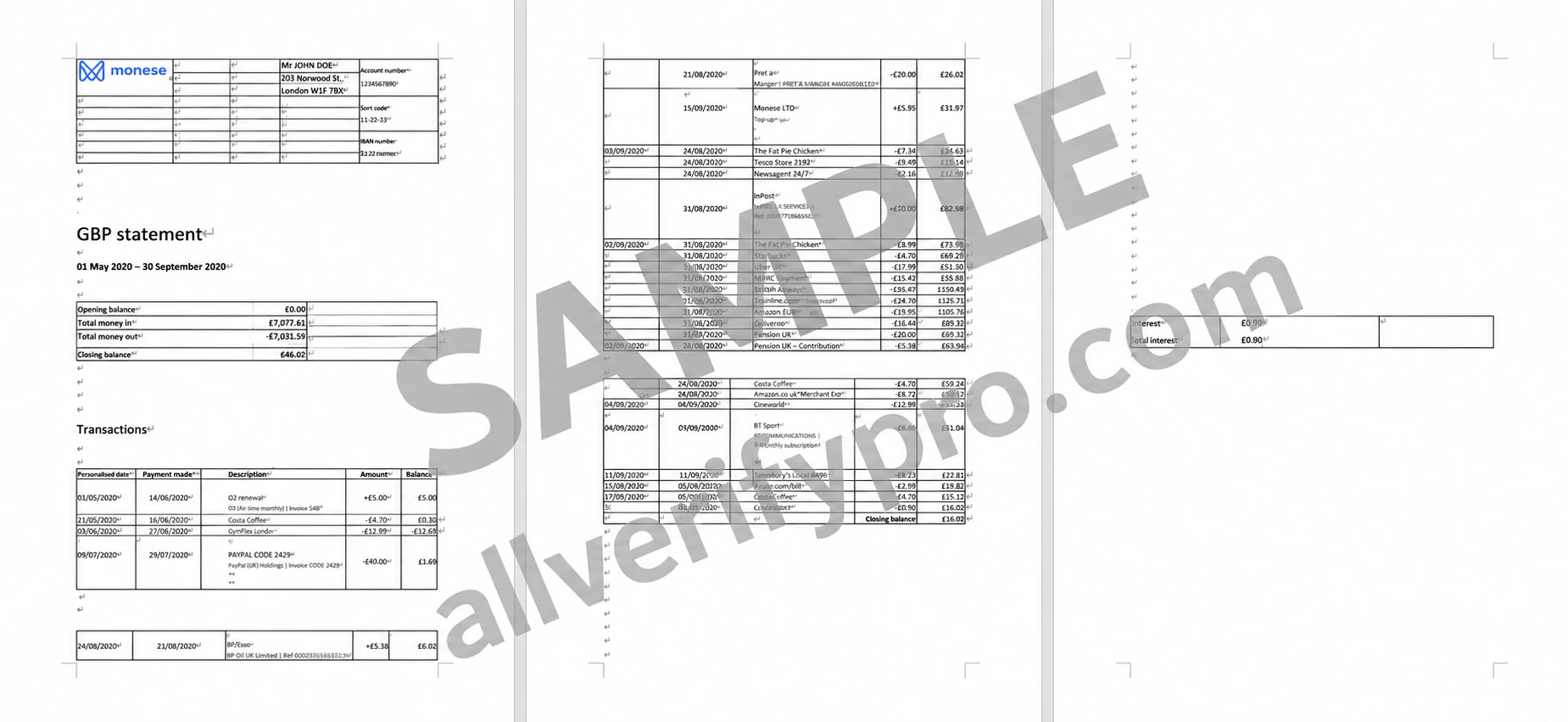
Monese Bank is a company that provides electronic banking or mobile money services for personal and business accounts in the UK. Launched in 2015, Monese was the first mobile app to offer an alternative to traditional banking, with services designed to make financial transactions instant, simple, and secure. The company offers contactless, document-free access, so banking can be done entirely virtually. Monese's encryption security features protect personal information, while automatic bill protection and purchase protection plans provide insurance for registered customers. The service has multiple usage tiers to suit individual budgets, starting with a free starter account and extending to a premium tier. Other features include a debit card, budgeting and savings tools, free transfers (within the UK), and international transfer options with currency exchange. The Monese app can be linked to PayPal, Avios, Apple Pay, and Google Pay for easy, secure payments. Monese Bank Statement Template Monese customers can access their bank account statements at any time by downloading a .pdf or Excel spreadsheet from the app. Tap the “Home” button, then tap “Account details”. If you have multiple Monese accounts, the app may ask you to select the account you want to access. Select “Get statement” and a date range, and the app will prompt you to download the file. When the file opens, you will see the blue bank logo. The user's personal information appears at the upper left of the Monese bank statement, including their name, address, account number, sort code, and bank ID. A box at the upper right shows the account balance and a summary of recent transactions. At the bottom of the document is an itemized statement for the listed date range. The statement shows the date, the vendor/person involved in the transaction, details, the exchange (if applicable), and the total amount exchanged.