Product Introduction
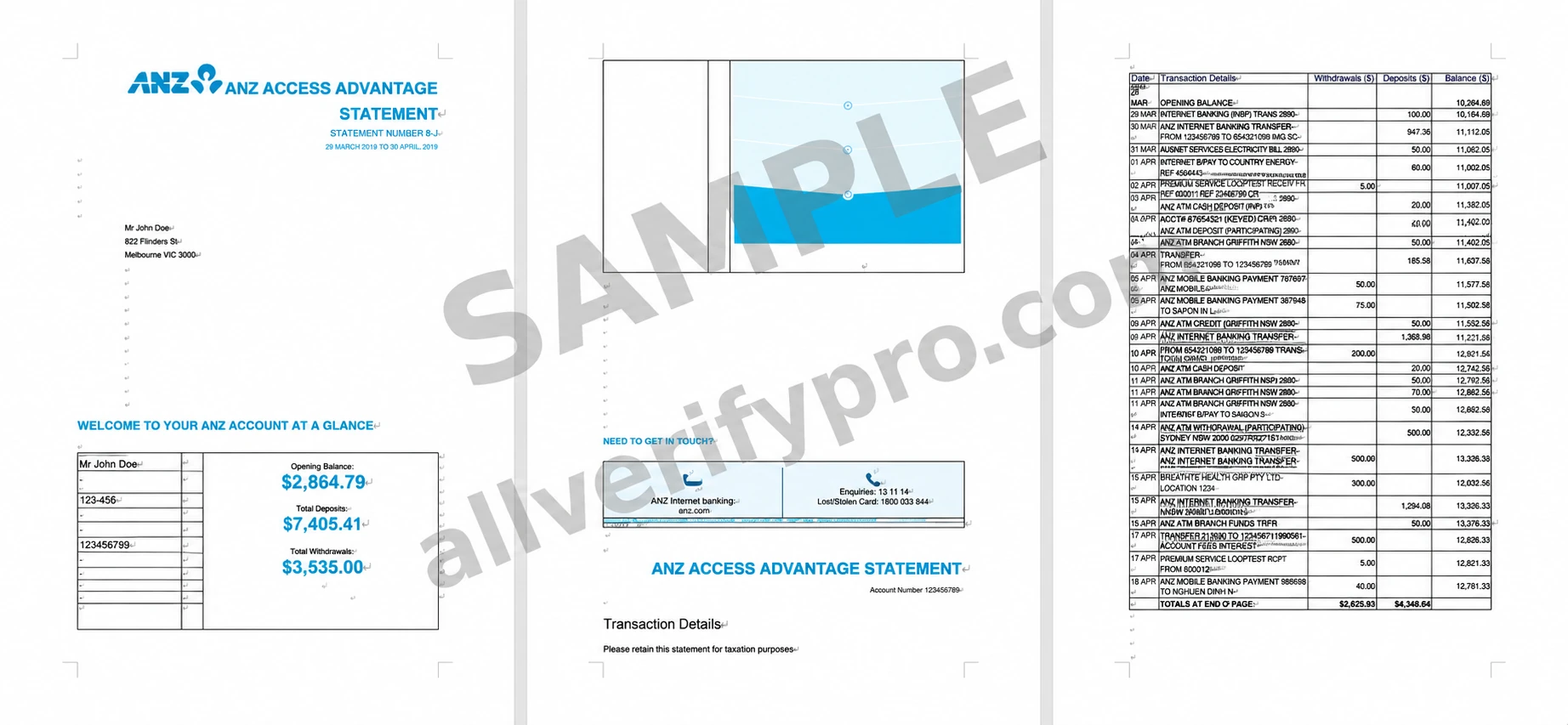
ANZ Bank provides banking services and resources to individuals and businesses, serving more than 33 million customers across 800 markets worldwide. They represent individuals and businesses in Australia, New Zealand, the Pacific, Asia, the Middle East, Europe, and North America. Australia and New Zealand Banking Group (ANZ) has operated for nearly 200 years, is Australia's fourth-largest bank, and is one of the world's 50 largest banks. ANZ's banking services include accounts, loans, credit cards, insurance, and more for personal and business banking customers, as well as private banking services for high-net-worth and investment customers. Customers can also receive personalized financial advice covering everything from financial management to investment advice. ANZ Bank Statements Your ANZ bank statement has at least two pages, depending on the number of transactions during the statement period. On the first page, you can find the statement number, product details (deposit account, personal loan, etc.), account and personal information, and date range at the top. Next is your account overview, where you can see your opening balance or loan balance, deposits, debits, withdrawals, payments, and other important account usage information, as well as the bank's contact information at the bottom. The following pages contain details of your account activity. To access your statements on a computer, log in to the ANZ online banking portal, select the account whose statement you want to view, then click “View Statements” on the left side of the screen. There you can find a list of statements arranged by issue date. To view a specific statement, click “Filter by statement issue date.” On a mobile device, log in through the ANZ app and tap “More,” then tap “View Statements.” Select the account whose statement you want, then tap your most recent statement. If you are looking for a specific statement date, you can also filter by statement date.